Remember when HD television seemed like magic? Now we’re living in the era of 4K live IPTV, where every sports game, movie, and TV show looks so crisp you can practically count the blades of grass on a soccer field. If you’re tired of blurry streams and pixelated content, you’ve come to the right place.
4K live IPTV delivers television content over the internet in stunning Ultra HD resolution—that’s four times sharper than regular HD. Think of it as upgrading from looking through a dirty window to seeing everything in crystal-clear detail. Whether you’re watching the big game or catching up on your favorite shows, 4K IPTV transforms your viewing experience completely.
In this guide, we’ll walk you through everything you need to know about 4K live IPTV. You’ll discover how it works, what you need to get started, and how to choose the best IPTV services for your needs. Let’s dive in.
Table of Contents
ToggleWhat Exactly Is 4K Live IPTV?
IPTV stands for Internet Protocol Television, which is just a fancy way of saying TV delivered through your internet connection instead of cable or satellite. When you add “4K live” to the mix, you’re getting real-time television broadcasts in Ultra High Definition.
Here’s what makes it special. Traditional cable TV sends signals through coaxial cables or satellite dishes, but 4K live IPTV uses your internet connection to stream content directly to your device. This means you can watch live sports, news, and entertainment in breathtaking 4K quality—as long as you have a decent internet connection.
The “live” part is crucial because it means you’re watching broadcasts in real-time, just like traditional TV. You’re not downloading files or waiting for buffering (well, mostly). You’re experiencing events as they happen, but with picture quality that makes cable TV look like it’s stuck in the past.
How Does 4K Live IPTV Actually Work?
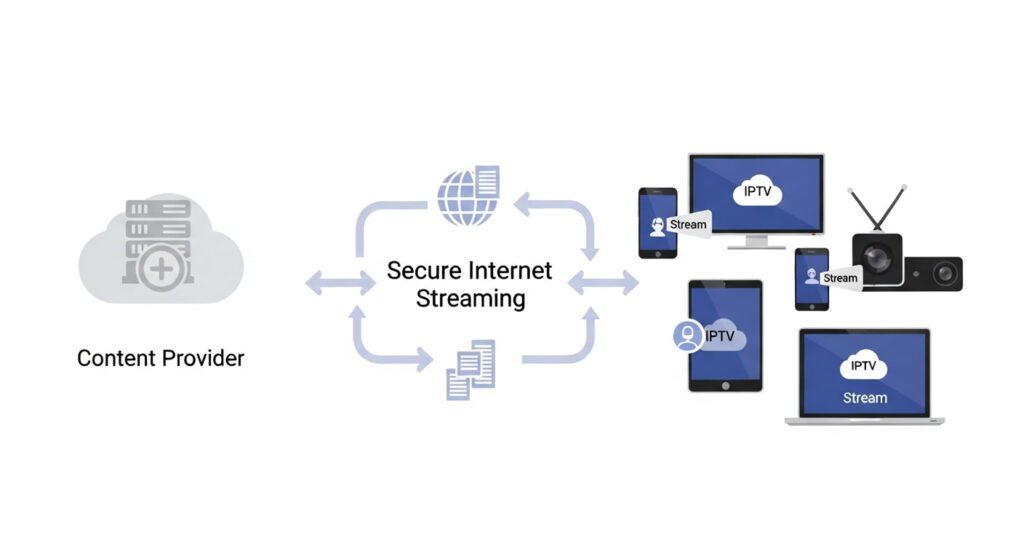
The technology behind 4K live IPTV might sound complicated, but it’s surprisingly straightforward. Content providers capture live broadcasts and encode them into 4K resolution, then they send these streams over the internet to your device through specialized servers.
Your IPTV provider maintains these servers and delivers the content to you through an app or set-top box. When you select a channel, your device requests that specific stream from the server, which then sends it directly to you. It’s like having a dedicated highway for your television content.
For this to work smoothly, you need a few things working together. Your internet connection needs to be fast enough (we’ll talk numbers later), your device needs to support 4K playback, and the IPTV providers needs reliable servers. When all three align, you get seamless 4K streaming that rivals or beats traditional broadcasting.
What You Need to Stream 4K Live IPTV
Getting started with 4K live IPTV isn’t rocket science, but you do need the right equipment. First and foremost, you need a reliable internet connection—and we’re not talking about your neighbor’s WiFi you borrow occasionally.
Your internet speed should be at least 25-35 Mbps for smooth 4K streaming. If you’re planning to stream on multiple devices simultaneously, bump that up to 50 Mbps or higher. Think of bandwidth like a water pipe—the bigger the pipe, the more data can flow through without creating bottlenecks.
Next, you need a 4K-capable device. This could be a smart TV with 4K resolution, a 4K-compatible streaming box (like an Amazon Fire TV Stick 4K or Apple TV 4K), or even a gaming console like PlayStation 5 or Xbox Series X. Your old 1080p TV from 2010 won’t cut it here—4K content needs a 4K display to shine.
Here’s what your setup checklist should include:
- Internet connection of 25+ Mbps (50+ recommended)
- 4K TV or monitor with HDMI 2.0 or higher
- Compatible streaming device or smart TV
- Ethernet cable for most stable connection (WiFi works but isn’t ideal)
- Subscription to a quality IPTV provider
Ready to experience the difference? Planet of IPTV offers comprehensive packages designed for 4K streaming with reliable servers and crystal-clear picture quality.
Choosing the Best IPTV Services for 4K Streaming
Not all IPTV providers are created equal, especially when it comes to 4K content. Some claim to offer 4K but deliver upscaled HD content instead—which is like putting a sports car body on a minivan engine.
When evaluating the best IPTV services, start by checking their channel lineup. How many channels actually broadcast in true 4K? Premium sports networks, major movie channels, and popular entertainment networks should be available in Ultra HD. If a provider only offers a handful of 4K channels, keep looking.
Server reliability is your next checkpoint. A provider might have great 4K content, but if their servers crash during the Super Bowl, what’s the point? Look for services with multiple server locations and redundancy built in. Customer reviews often reveal the truth about reliability—read them carefully.
Consider these factors when comparing Top IPTV providers:
- Number of true 4K channels (not upscaled content)
- Server uptime and reliability during peak hours
- Customer support responsiveness and availability
- Trial period or money-back guarantee
- Compatible devices and platform support
- Pricing transparency with no hidden fees
Planet of IPTV stands out by offering extensive 4K content across sports, movies, and entertainment categories, backed by enterprise-grade servers that keep streams running smoothly even during major live events.
Benefits of Switching to 4K Live IPTV
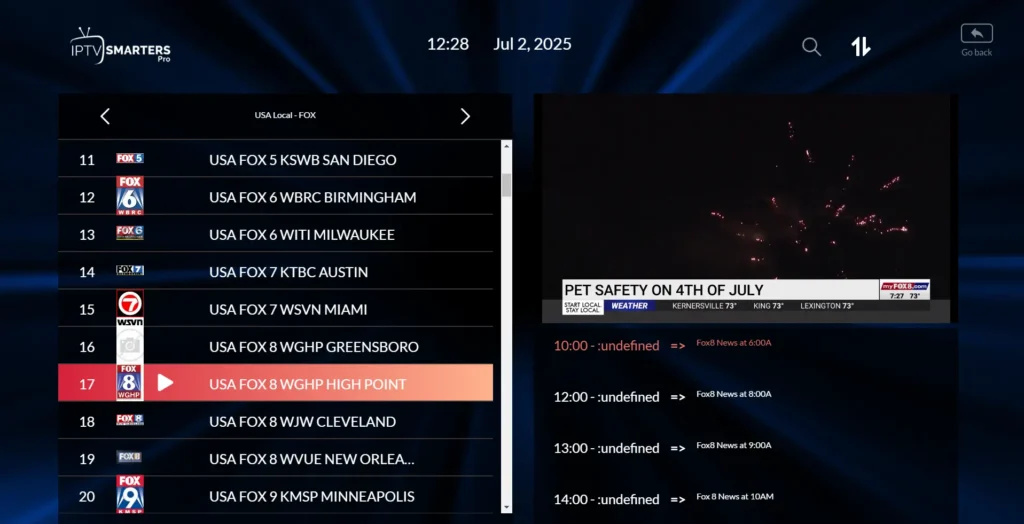
The picture quality is the obvious star of the show, but 4K live IPTV brings other benefits that might surprise you. For starters, you get flexibility that traditional cable companies simply can’t match—watch on your TV, tablet, phone, or computer without juggling multiple subscriptions.
Cost savings can be significant too. Most quality IPTV providers charge a fraction of what cable companies demand, even for premium 4K content. You’re cutting out the middleman and all those equipment rental fees, DVR charges, and regional sports fees that mysteriously appear on cable bills.
The on-demand aspect deserves mention as well. While you’re getting live channels, many IPTV services include massive libraries of movies and shows you can watch anytime. It’s like having Netflix, Hulu, and live TV rolled into one package—except everything looks spectacular in 4K.
Here’s what you gain by making the switch:
- Crystal-clear picture quality that makes HD look dated
- Lower monthly costs compared to traditional cable
- Watch on multiple devices with one subscription
- No long-term contracts or equipment rental fees
- Access to international channels often unavailable on cable
- Pause, rewind, and replay live TV on many platforms
Common Challenges and How to Solve Them
Let’s be honest—4K live IPTV isn’t perfect, and you might run into some hiccups. Buffering is the most common complaint, usually caused by internet speed issues or network congestion. If your stream keeps pausing, run a speed test first to verify you’re getting the speeds you’re paying for.
Sometimes the problem isn’t your speed but your connection stability. WiFi can be unreliable, especially if you’re streaming in a room far from your router. Switching to an ethernet cable often solves buffering issues instantly—it’s not as convenient, but it’s incredibly effective.
Another challenge is compatibility issues with certain devices. Not every streaming box or smart TV plays nice with every IPTV service. Before committing to an annual subscription, test the service during a trial period on all the devices you plan to use. This saves massive headaches down the road.
Quick troubleshooting tips for common issues:
- Buffering: Check internet speed, switch to ethernet, close background apps
- Poor quality: Verify you selected 4K in settings, not auto-quality
- Connection drops: Restart your router, update streaming device firmware
- Missing channels: Clear app cache, reinstall IPTV app
- Lag during live events: Contact provider about server load, switch servers if available
Legal Considerations and Choosing Legitimate Providers
Here’s where we need to have a frank conversation. The IPTV market includes both legitimate services and shady operators offering “too good to be true” deals. If someone promises 10,000+ channels for $10 a month, red flags should be waving.
Legitimate IPTV providers license their content properly, paying broadcasters for the right to stream their channels. Yes, this makes them more expensive than the basement-operation services, but it also means they’re legal and won’t disappear overnight. You also avoid the very real risk of legal consequences.
How do you spot a legitimate provider? They’re transparent about their business, offer customer support, have clear terms of service, and don’t make outrageous claims. They also typically offer refund policies and trial periods—because they know their service is worth it.
When evaluating any IPTV provider, ask yourself:
- Does the pricing seem realistic for what’s offered?
- Can you find verifiable company information and contact details?
- Are there genuine customer reviews on independent platforms?
- Do they offer secure payment methods?
- Is there a clear privacy policy and terms of service?
Planet of IPTV operates as a fully licensed service, ensuring you get premium 4K content without legal worries or the risk of sudden service termination. Peace of mind matters when you’re investing in your entertainment setup.
Making the Most of Your 4K IPTV Experience
Once you’ve got your 4K live IPTV setup running, some tweaks can elevate your experience from good to phenomenal. Start by optimizing your TV’s picture settings—many TVs come with a “movie” or “cinema” mode that’s actually worse for live content. Switch to “sports” or “vivid” mode for broadcasts.
Your streaming device settings matter too. Enable hardware acceleration if available, as this reduces strain on your device’s processor. Make sure you’re using the highest quality HDMI cable you have—cheap cables can bottleneck 4K signals, creating that annoying sparkle effect on fast-moving scenes.
Consider your viewing environment as well. 4K really shines when you’re sitting close enough to notice the detail—roughly 1.5 times the screen diagonal distance. If you have a 65-inch TV, sitting about 8 feet away lets you appreciate all those extra pixels. Too far back and you might as well be watching regular HD.
Pro tips for optimal 4K streaming:
- Update your streaming app regularly for bug fixes and performance improvements
- Schedule large downloads for off-peak hours to preserve bandwidth
- Invest in a quality router if yours is several years old
- Position your router centrally if using WiFi, or use mesh network systems
- Enable quality of service (QoS) settings on your router to prioritize streaming traffic
- Keep your streaming device well-ventilated to prevent overheating
Want to maximize your setup? Planet of IPTV provides detailed setup guides and optimization tips specifically tailored to 4K streaming, ensuring you get the best possible picture quality.

Q: Is 4K IPTV worth it compared to regular HD streaming?
Absolutely, especially if you have a larger screen (55 inches or bigger). The detail difference is immediately noticeable on sports broadcasts, nature documentaries, and action movies. If you’re still using a smaller screen or sitting very far from your TV, the difference might not justify the extra bandwidth requirements. But for most modern viewing setups, 4K transforms the experience.
Q: How much internet speed do I really need for 4K IPTV?
Plan for 25-35 Mbps per 4K stream as a baseline. If you live with family members who also stream, game, or video chat, you’ll want 50-100 Mbps total. Remember that internet providers often advertise “up to” speeds—your actual speed might be lower, especially during peak evening hours. Test your real-world speeds before committing to 4K streaming.
Q: Can I use 4K IPTV on multiple devices at once?
This depends entirely on your IPTV provider’s terms and your internet connection. Many providers allow 2-5 simultaneous streams on one subscription, but streaming multiple 4K feeds simultaneously requires serious bandwidth. Two 4K streams would need about 60-70 Mbps minimum. Check your provider’s device limit and test your connection’s capacity.
Q: What’s the difference between legal and illegal IPTV services?
Legal services obtain proper broadcasting licenses and pay content creators for distribution rights. Illegal services pirate content without authorization, offering unrealistic channel counts at suspiciously low prices. Legal providers have transparent business operations, customer support, and consistent service. Illegal ones often disappear suddenly, change domains frequently, and carry legal risks for users.
Q: Will 4K IPTV work with my current smart TV?
If your TV is labeled as “4K” or “Ultra HD” and was manufactured after 2016, it should work fine. Check that it has HDMI 2.0 ports and supports HEVC (H.265) video codec, which is standard for 4K streaming. If your TV is older, you might need an external 4K streaming device. When in doubt, check your TV’s specifications manual or look up your model online.