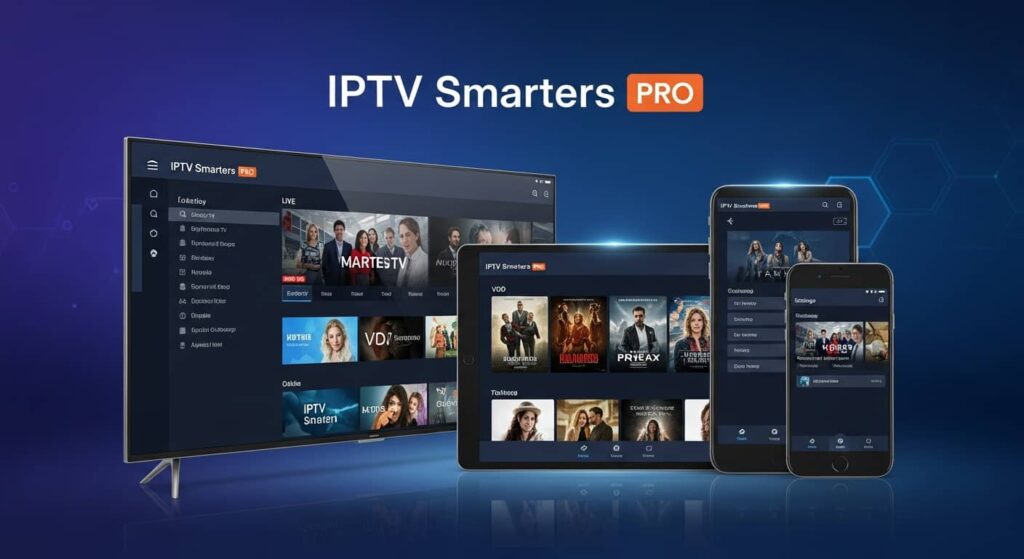
Are you tired of juggling multiple streaming apps and paying sky-high cable bills? An IPTV Smarters Pro subscription might be exactly what you need to simplify your entertainment life. This powerful IPTV player has become incredibly popular among cord-cutters who want all their favorite channels and content in one convenient place.
In this comprehensive guide, we’ll walk you through everything you need to know about IPTV Smarters Pro subscriptions. Whether you’re a complete beginner or looking to upgrade your streaming setup, you’ll discover how this app works, what makes it special, and how to get started today.
Table of Contents
ToggleWhat Is IPTV Smarters Pro and Why Do You Need It?
IPTV Smarters Pro is a popular IPTV player application that lets you watch live TV, movies, and series through internet protocol television. Think of it as your personal streaming hub that brings thousands of channels right to your fingertips.
Unlike traditional cable or satellite TV, IPTV delivers content through your internet connection. This means you can watch your favorite shows on almost any device, from your smartphone to your smart TV.
The app itself is free to download, but here’s the important part: you need an IPTV Smarters Pro subscription from a service provider to access actual content. The app is just the player, similar to how you need Netflix content to watch on the Netflix app.
What makes IPTV Smarters Pro stand out as the best IPTV player is its user-friendly interface, support for multiple playlists, and compatibility with various devices. It’s designed to make streaming simple, even if you’re not tech-savvy.
How Does an IPTV Smarters Pro Subscription Actually Work?
Understanding how your subscription works helps you get the most out of your investment. When you sign up with a provider like Planet of IPTV, you receive login credentials that unlock access to their channel lineup.
Your provider gives you specific information including a username, password, and server URL. You simply enter these details into the IPTV Smarters Pro app, and voila – you’re ready to start watching.
Here’s what typically happens when you set up your subscription:
- Download the IPTV Smarters Pro app from your device’s app store
- Open the app and select “Login with Xtream Codes API”
- Enter the credentials provided by your IPTV service provider
- The app automatically loads all available channels and content
The subscription itself is maintained by your IPTV provider, not by the app developers. This separation allows you to choose providers based on what channels and features matter most to you.
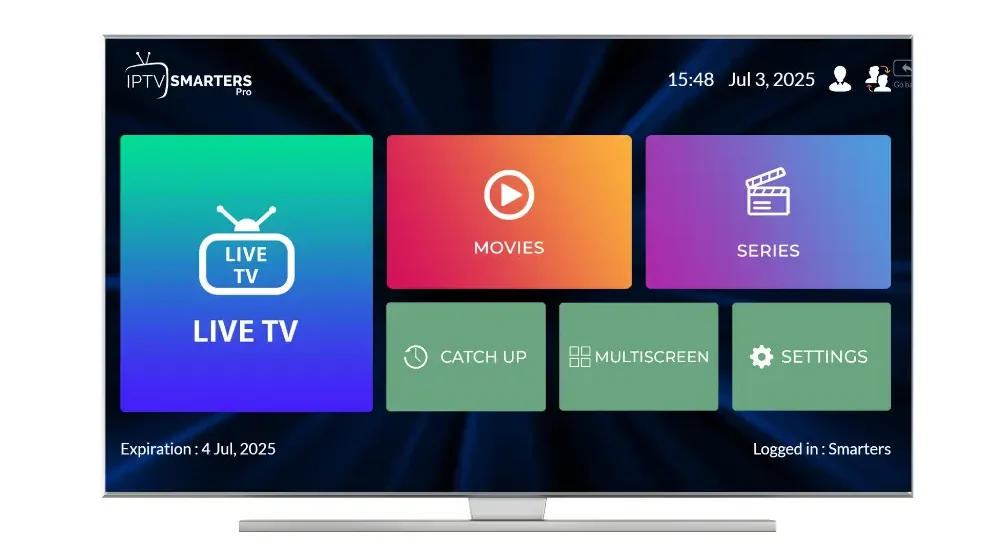
Key Features That Make IPTV Smarters Pro the Best IPTV Player
IPTV Smarters Pro didn’t become one of the most downloaded IPTV players by accident. It’s packed with features that make your streaming experience smooth and enjoyable.
Multi-Screen Support: Watch on your phone, tablet, smart TV, or streaming device. The app works seamlessly across Android, iOS, Windows, macOS, and even Amazon Firestick.
Parental Controls: Keep your kids safe with built-in parental locks. You can restrict access to adult content and set viewing limitations for specific channels.
Catch-Up TV: Missed your favorite show? Many providers offer catch-up features that let you watch programs from the past few days.
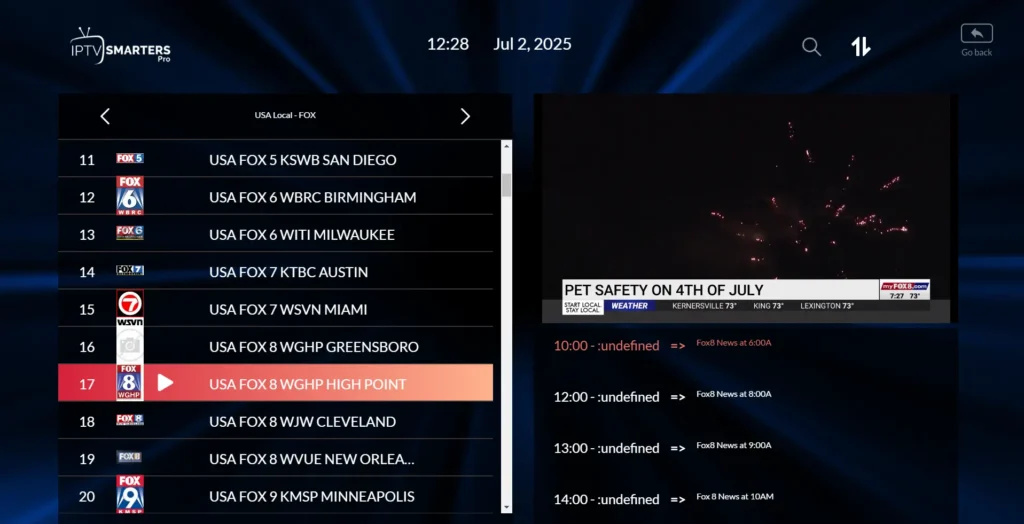
Electronic Program Guide (EPG): See what’s playing now and what’s coming up next. The EPG makes planning your viewing schedule effortless.
Multiple Playlist Support: Add several IPTV subscriptions to one app. This is perfect if you have subscriptions from different providers or want to separate sports, movies, and international channels.
The best free IPTV player features are built right in. While the app is free, combining it with a quality subscription from providers like Planet of IPTV unlocks its full potential.
Choosing the Right IPTV Smarters Pro Subscription for Your Needs
Not all IPTV subscriptions are created equal. Finding the right one depends on what you want to watch and how you plan to use the service.
Consider what channels matter most to you. Sports fans need providers with comprehensive sports packages including NFL, NBA, soccer, and boxing. Movie lovers should look for extensive VOD libraries with the latest releases.
Connection stability is crucial. A good provider ensures minimal buffering and high-quality streams, even during peak hours. This is where established services make a real difference.
Device limits vary by provider. Some subscriptions allow only one device at a time, while others support multiple simultaneous connections. If you have a family, multi-device support is essential.
Think about customer support too. When technical issues arise (and they sometimes do), responsive support can save you hours of frustration. Look for providers offering 24/7 assistance through multiple channels.
Setting Up Your IPTV Smarters Pro Subscription in Minutes
Getting started with your IPTV Smarters Pro subscription is surprisingly simple. Even if you’ve never used IPTV before, you’ll be streaming in less than five minutes.
First, download IPTV Smarters Pro from your device’s official app store. For Android users, that’s Google Play Store. iPhone and iPad users can find it in the Apple App Store.
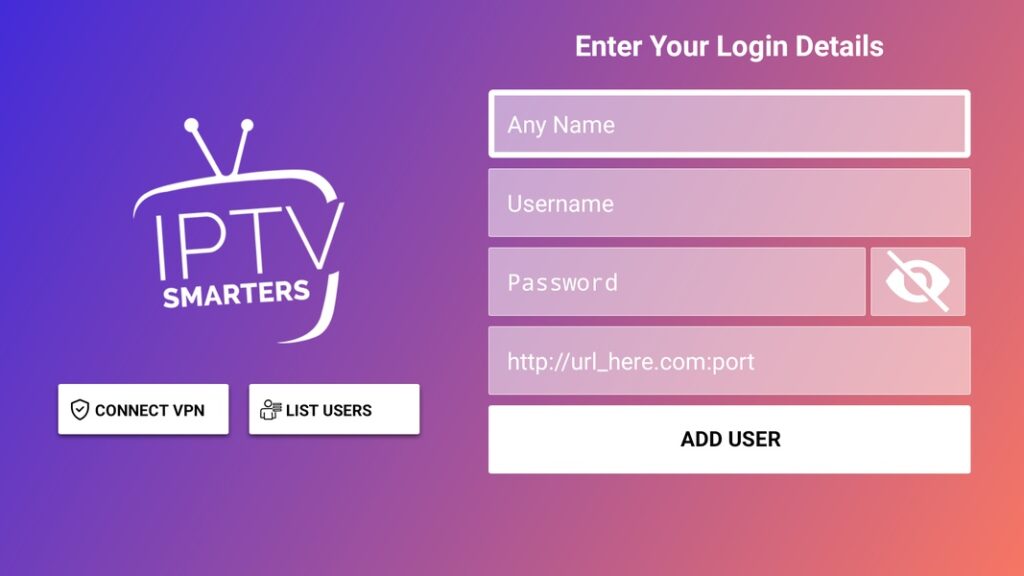
Once installed, open the app and you’ll see several login options. Most providers use the “Xtream Codes API” login method, which is the most straightforward option.
Enter the credentials your IPTV provider sent you:
- Username (exactly as provided)
- Password (case-sensitive)
- Server URL (include http:// or https://)
After logging in, the app loads your channel list automatically. You can organize channels into favorites, create custom categories, or use the search function to find specific content quickly.
Pro tip: Test your connection with a few different channels to ensure everything works smoothly. If you experience issues, double-check your credentials or contact your provider’s support team.
Common Issues and Quick Fixes for IPTV Smarters Pro
Even with the best IPTV player, you might occasionally run into hiccups. Most problems have simple solutions you can try before reaching out for support.
Buffering Problems: If streams keep buffering, your internet speed might be the culprit. IPTV typically requires at least 10 Mbps for HD streaming and 25 Mbps for 4K content. Try closing other apps using bandwidth or moving closer to your Wi-Fi router.
Login Failures: Triple-check your credentials for typos. Make sure there are no extra spaces before or after your username, password, or URL. If your subscription expired, contact your provider for renewal.
Channels Not Loading: This usually indicates a server issue on the provider’s end. Wait a few minutes and try again. If problems persist beyond an hour, reach out to customer support.
App Crashing: Keep your app updated to the latest version. Outdated versions often have bugs that cause crashes. Also, try clearing the app’s cache in your device settings.
No Sound or Picture: Check your device’s volume settings first. For picture issues, try switching between different stream qualities (HD, SD) to see if lower quality resolves the problem.
Maximizing Your IPTV Smarters Pro Subscription Experience
Once you’re up and running, a few tweaks can transform your viewing experience from good to exceptional. These tips help you get the most value from your subscription.
Customize Your Interface: Organize channels into categories that make sense for you. Create groups for sports, news, entertainment, or kids’ content. This saves time scrolling through hundreds of channels.
Use the EPG Effectively: Enable the electronic program guide to see what’s airing across all your channels. Set reminders for upcoming shows so you never miss important games or new episodes.
Explore VOD Content: Many IPTV Smarters Pro subscriptions include extensive on-demand libraries. Browse through movies and series organized by genre, release year, or popularity.
Optimize Stream Quality: If you have limited bandwidth, manually select lower quality streams. Conversely, if you have fast internet, always choose HD or 4K options for the best picture.
Backup Your Playlist: Save your login information securely. If you need to reinstall the app or set it up on a new device, having your credentials handy prevents frustration.
Quality providers like Planet of IPTV often include additional features such as multi-language support, subtitle options, and premium channel packages that enhance your entertainment options.
Legal Considerations and Choosing Legitimate IPTV Providers
Understanding the legal landscape helps you make informed decisions about your IPTV Smarters Pro subscription. The app itself is completely legal – it’s just a media player like VLC or Windows Media Player.
However, the legality depends entirely on your content provider. Legitimate IPTV services have proper licensing agreements with content creators and broadcasters. They pay for the rights to distribute channels and programming.
Warning signs of questionable providers include:
- Prices that seem too good to be true (like $10/month for 10,000+ channels)
- No clear company information or contact details
- Promises of “every channel in the world”
- Payment only through cryptocurrency or gift cards
Reputable providers operate transparently. They clearly state what channels they offer, maintain professional websites, and provide reliable customer service. They don’t make unrealistic promises about content availability.
When choosing a provider, research reviews from actual users. Check how long the company has been in business. Legitimate services invest in quality infrastructure, which means better streams and fewer interruptions for you.

How much does an IPTV Smarters Pro subscription cost?
The IPTV Smarters Pro app is completely free to download and use. However, you need to purchase a subscription from an IPTV service provider to access channels and content. Prices vary widely depending on the provider, channel packages, and subscription length. Quality services typically range from $15 to $30 per month, with discounts available for longer commitments like 3-month, 6-month, or annual subscriptions.
Can I use one IPTV Smarters Pro subscription on multiple devices?
This depends entirely on your IPTV provider’s policy, not the app itself. Some providers allow one connection at a time, meaning you can install the app on multiple devices but only watch on one at a time. Others offer multi-device packages that permit simultaneous streaming on 2, 3, or more devices. Always check with your provider about device limits before purchasing.
What internet speed do I need for IPTV Smarters Pro?
For standard definition (SD) streaming, you need at least 5 Mbps. High definition (HD) channels require 10-15 Mbps for smooth playback. If you’re watching 4K content, aim for 25 Mbps or higher. Remember that these speeds are per device, so if multiple people in your household stream simultaneously, you’ll need faster internet to avoid buffering issues.
Is IPTV Smarters Pro better than other IPTV players?
IPTV Smarters Pro is widely considered one of the best IPTV players available because of its user-friendly interface, extensive device compatibility, and robust feature set. While other options exist like TiviMate, Perfect Player, or GSE Smart IPTV, Smarters Pro strikes an excellent balance between functionality and ease of use. The best player ultimately depends on your personal preferences and technical comfort level.
What should I do if my IPTV Smarters Pro subscription stops working?
First, check if your subscription has expired by contacting your provider. If it’s still active, try logging out and back in, or reinstalling the app. Test your internet connection to ensure it’s stable. If specific channels aren’t working, the issue might be on the provider’s end – wait a bit and try again. For persistent problems, contact your IPTV provider’s customer support with specific details about the issue you’re experiencing.